
What Terminal Is Qatar Airways at DFW?
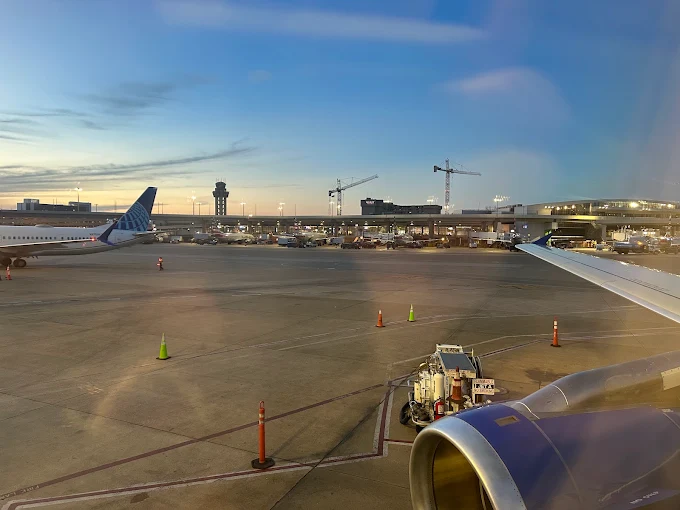
Qatar Airways operates from Terminal D at Dallas Fort Worth International Airport (DFW) in Texas. Terminal D is the airport’s international terminal and serves passengers traveling on international routes, including flights to Doha, Qatar. Travelers can find airline check-in facilities, baggage services, security checkpoints, restaurants, shops, and other passenger amenities in this terminal.
Before heading to the airport, passengers should verify their flight details, check-in counter, and boarding gate. Airport operations and gate assignments can change, so checking the latest flight information helps avoid unnecessary confusion.
Qatar Airways DFW Terminal: Essential Airport Details
| Airport Detail | Information |
|---|---|
| Airport Name | Dallas Fort Worth International Airport |
| Airport Code | DFW |
| Qatar Airways Terminal | Terminal D |
| Check-in | Terminal D |
| Ticket Counter | Confirm the assigned counter |
| Baggage Drop-off | Follow Qatar Airways signage |
| Departures (DFW) | Terminal D |
| Arrivals (DFW) | Terminal D |
| Airline Code | QR |
| Commonly Listed Gate Area | D6–D16; verify the assigned gate |
| Airport Location | Dallas–Fort Worth, Texas |
| Airport Address | 2400 Aviation Drive, DFW Airport, TX 75261 |
| Official Airline Website | Qatar Airways |
DFW’s official airline directory lists Qatar Airways at Terminal D, with the D6–D16 gate area shown in its airline information. Always check your boarding pass and current airport displays for the specific gate assigned to your flight.
Finding Qatar Airways Check-in and Boarding at DFW
Passengers departing with Qatar Airways should head to Terminal D and check the airport information screens for the correct check-in counter. After completing check-in and dropping off checked baggage, travelers must pass through security and follow the signs to their departure gate.
International passengers should allow enough time for document checks and boarding procedures. Keep your passport, visa if required, and booking details accessible throughout the airport process.
| Passenger Service | Location or Details |
|---|---|
| Check-in Counters | Terminal D; confirm the counter |
| Ticketing Assistance | Follow airline signage |
| Baggage Drop-off | Terminal D |
| Security Screening | Before entering the departure gate area |
| International Departures (DFW) | Terminal D |
| Boarding Gates | Check the boarding pass and airport monitors |
| Special Assistance | Contact the airline in advance |
| Travel Documents | Carry required passport and visa documents |
| Connecting Flights | Check the next flight’s terminal and boarding time |
Qatar Airways Arrivals and Departures at DFW Airport
Qatar Airways uses Terminal D for its DFW operations. Passengers departing from DFW should confirm their check-in location and gate before arriving at the terminal. Travelers arriving at DFW should follow airport signs for baggage claim and, when applicable, immigration and customs.
Passengers connecting to another flight should check whether the next departure uses a different terminal. DFW’s Skylink train connects the terminals within the secure area, helping eligible connecting passengers move between terminals without exiting security.
| Flight Information | Details |
|---|---|
| Departures (DFW) | Terminal D |
| Arrivals (DFW) | Terminal D |
| Departure Check-in | Confirm the assigned Qatar Airways counter |
| Boarding Gate | Check live airport displays |
| Arrival Baggage Claim | Follow signs after landing |
| International Arrivals | Immigration and customs may apply |
| Connecting Flights | Check the connecting airline and terminal |
| Terminal Transfers | Use Skylink where appropriate |
| Flight Status | Check the airline’s website or DFW flight information |
Official Qatar Airways Website and Passenger Support
The official Qatar Airways website provides services for booking management, online check-in, flight status, baggage policies, and travel assistance. Passengers should use official airline information to confirm details that may affect their journey.
| Service | How to Get Assistance |
|---|---|
| Official Airline Website | Qatar Airways |
| Online Check-in | Use the official website or mobile app |
| Flight Status | Check current flight details online |
| Manage Booking | Review or update your reservation |
| Baggage Allowance | Check the rules for your ticket and route |
| Changes and Cancellations | Review your booking conditions |
| Terminal Confirmation | Check your booking and airport displays |
| DFW Airport Information | Official DFW Airport Website |
| Reservations and Support | Use the airline’s official contact options |
Helpful Tips Before Flying with Qatar Airways from DFW
| Travel Step | Recommendation |
|---|---|
| Before Leaving | Confirm Terminal D and your flight status |
| Check-in | Review the airline’s check-in deadlines |
| Baggage | Verify baggage allowance and restrictions |
| At the Airport | Follow signs to the correct counter |
| After Security | Confirm your departure gate |
| Connecting Flights | Allow enough time for terminal transfers |
| Before Boarding | Listen for announcements and check flight monitors |
Conclusion
Qatar Airways operates from Terminal D at Dallas Fort Worth International Airport (DFW). Passengers can use this terminal for check-in, baggage drop-off, arrivals, and departures. Confirm the assigned counter, gate, and flight status before traveling to ensure a smoother airport experience.
Frequently Asked Questions
Qatar Airways operates from Terminal D at Dallas Fort Worth International Airport.
Qatar Airways departures use Terminal D. Check your boarding pass and airport monitors for the assigned gate.
Qatar Airways arrivals are listed at Terminal D. Confirm the arrival details for your specific flight before traveling to the airport.
The official website is qatarairways.com, where passengers can manage bookings, check flight status, review baggage policies, and access travel assistance.