
What Terminal Is Volaris in DFW?
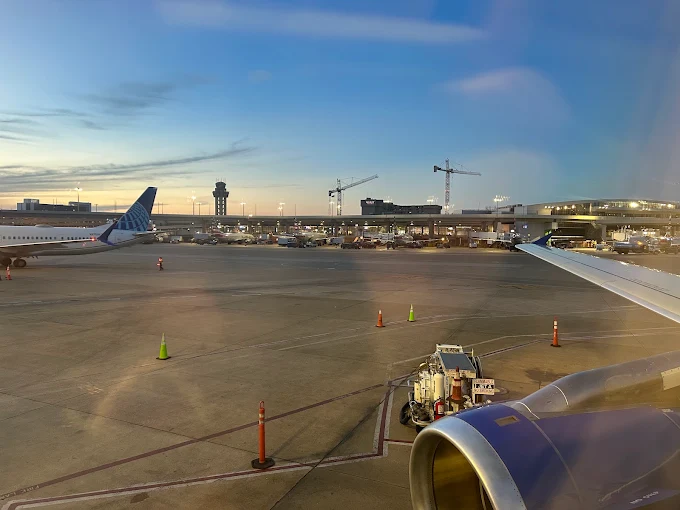
Volaris Airlines operates at Terminal D at Dallas Fort Worth International Airport (DFW), according to the airport’s airline directory. As an international airline serving routes between the United States and Mexico, Volaris connects passengers with destinations such as Guadalajara, Mexico City, and other Mexican cities. Knowing your terminal before arriving at the airport can help you plan check-in, baggage drop, security screening, and transportation. Since terminal and gate assignments may change, always review your flight details before leaving for DFW.
Volaris Airlines Terminal Location and Key Airport Information
Terminal D is DFW’s international terminal and serves numerous airlines operating international routes. Volaris is listed among the airlines using gates D6–D16. Use the following details as a starting point, then confirm the precise check-in counter and gate for your flight.
| Airport Information | Details |
|---|---|
| Airline | Volaris |
| Airport Name | Dallas Fort Worth International Airport |
| Airport Code | DFW |
| Listed Terminal | Terminal D |
| Listed Gate Range | D6–D16 |
| Departures | Generally Terminal D; verify your flight |
| Arrivals | Check your flight status for the assigned terminal |
| Airline Code | Y4 |
Preparing for Volaris Departures at Dallas Fort Worth
Passengers flying with Volaris should check their booking for the correct terminal and check-in details before arriving. Give yourself enough time to complete check-in, drop off checked baggage, pass through security, and reach your gate. For international departures to Mexico, make sure your travel documents meet the requirements for your destination.
| Departure Step | What to Do |
|---|---|
| Check-in | Confirm the check-in location and opening time for your flight |
| Travel documents | Carry a valid passport and any required travel documents |
| Baggage drop | Review Volaris baggage allowances and restrictions |
| Security screening | Follow DFW airport signs and screening instructions |
| Boarding gate | Check airport monitors for the latest gate assignment |
Volaris Arrivals at DFW: Baggage and Airport Pickup
Volaris arrivals may be affected by operational changes, so check your flight status before travelling to the airport to meet someone. After landing, passengers should follow airport signs for baggage claim and any required immigration or customs procedures. If you are picking up a traveler, coordinate your meeting point once their arrival details are confirmed.
| Arrival Detail | Passenger Guidance |
|---|---|
| Flight status | Confirm the latest arrival information before heading to DFW |
| Immigration | Follow U.S. entry procedures when arriving from Mexico |
| Baggage claim | Check airport displays for the assigned carousel |
| Customs | Complete the required customs process before exiting |
| Passenger pickup | Follow signs for the appropriate pickup area |
| Baggage problems | Contact Volaris customer support for delayed or missing luggage |
Passenger Services and Connections for Volaris Travelers
DFW is a large airport, so allow extra time if your trip involves a terminal change or a connecting flight. The airport’s Skylink train connects all five terminals inside the secure area, while Terminal Link shuttle buses serve passengers travelling between terminals outside security. Follow airport signage and confirm whether you need to collect and recheck baggage during your connection.
| Airport Service | Helpful Information |
|---|---|
| Dining and refreshments | Explore food and drink options available throughout the airport |
| Shopping | Look for travel essentials and retail stores in your terminal |
| Terminal transfers | Use Skylink or Terminal Link, depending on your location and access needs |
| Connecting flights | Confirm the terminal and gate for each flight segment |
| Accessibility assistance | Contact the airline ahead of time if you require assistance |
Official Volaris and DFW Airport Resources
Use these official resources to check airline requirements, airport facilities, and current flight information before travelling.
| Resource | Direct Link |
|---|---|
| Volaris Official Website | https://www.volaris.com/ |
| DFW Airport Airline Directory | https://www.dfwairport.com/explore/plan/airlines/ |
| DFW Airport Terminal Information | https://www.dfwairport.com/explore/plan/ |
| DFW Airport Flight Information | https://www.dfwairport.com/ |
Plan Ahead for Your Volaris Flight at DFW
Terminal D is the listed terminal for Volaris at DFW, with gates D6–D16 shown in the airport’s airline directory. Because airport operations can change, confirm the terminal, check-in counter, and gate using your booking and current airport information. Checking these details in advance can make your departures, arrivals, and airport connections easier to manage.
Frequently Asked Questions
DFW’s official airline directory lists Volaris at Terminal D, with gates D6–D16. Confirm your individual flight details before travelling.
Check your booking and the airport displays for your departure terminal, check-in counter, and gate. Volaris is listed at Terminal D, but flight-specific arrangements can vary.
Use the airport’s flight information service or your flight details to confirm the arrival terminal. Check the baggage claim and pickup instructions after the flight lands.