
What Terminal Is Emirates at DFW?
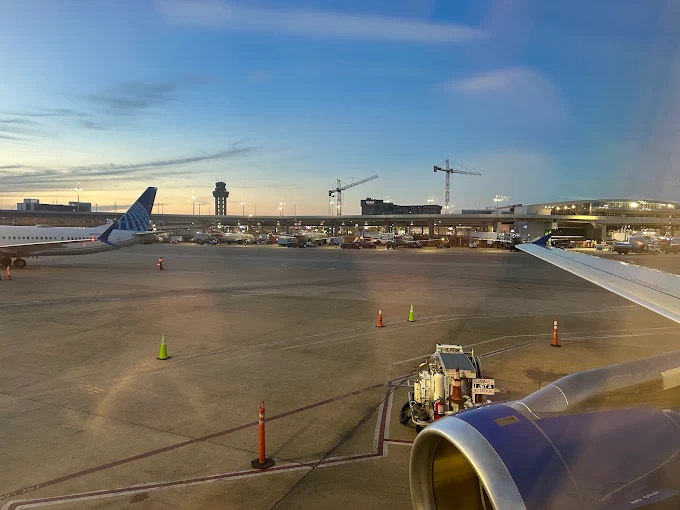
Are you planning to travel with Emirates from Dallas Fort Worth International Airport and wondering which terminal you should visit? Knowing your airline’s terminal in advance can help you avoid unnecessary confusion and make your airport experience more convenient. Emirates is listed at Terminal D of Dallas Fort Worth International Airport (DFW), which handles international passenger operations and offers several facilities for travelers.
Whether you are preparing for departure, arriving from an international destination, or connecting to another flight, understanding the terminal layout is important. From check-in counters and baggage services to boarding gates and ground transportation, having the right information can help you plan your journey more effectively. This guide explains everything about the Emirates DFW Terminal, including arrival and departure procedures, gate information, passenger facilities, transportation options, and useful airport tips.
Emirates Terminal Details at DFW Airport
Emirates is listed at Terminal D at Dallas Fort Worth International Airport (DFW). This terminal is the airport’s primary international terminal and provides facilities for passengers traveling to and from international destinations.
Passengers flying with Emirates can use Terminal D for their airport procedures, including check-in, baggage handling, security screening, and boarding when the airline is operating its scheduled service. The terminal also provides access to restaurants, shopping outlets, passenger assistance, and transportation facilities.
The airport’s airline directory associates Emirates with Gates D6–D16. However, passengers should remember that the exact gate can change depending on flight operations. It is always advisable to check the latest flight information before proceeding towards the boarding area.
Here is a quick overview of the airline’s terminal information:
| Airport Details | Information |
|---|---|
| Airline | Emirates |
| Airport | Dallas Fort Worth International Airport |
| Airport Code | DFW |
| Terminal | Terminal D |
| IATA Code | EK |
| Departure Terminal | Terminal D |
| Arrival Terminal | Terminal D |
| Listed Gate Range | D6–D16 |
| Check-in Area | Designated airline counters |
| Airport Transportation | Skylink and Terminal Link |
Important: Airport listings currently indicate temporarily suspended Emirates service. Passengers should confirm their flight’s operating status and terminal directly through their booking details before traveling.
Emirates Departure Terminal at DFW
Passengers departing with Emirates from Dallas Fort Worth International Airport should check their flight confirmation for the assigned departures terminal. When operating from DFW, Emirates is associated with Terminal D, where passengers can complete their pre-flight procedures.
After reaching the terminal, locate the airline’s designated check-in area using the airport information screens. Passengers who have not completed online check-in can approach the airline counter to receive their boarding passes and submit checked baggage.
Once check-in is complete, proceed towards the security checkpoint. International passengers should keep their passports, visas, and other required travel documents accessible for verification.
After clearing security, follow the directional signs towards the assigned boarding gate. Keep checking the departure screens because gate assignments and boarding information can change.
Departure Process for Emirates Passengers
Here are the main steps to follow before boarding:
- Reach Terminal D: Confirm the operating terminal and enter the appropriate departure area.
- Complete Check-in: Visit the designated Emirates counter if you need assistance or have not checked in online.
- Submit Your Baggage: Drop off your checked luggage and retain the baggage receipt.
- Complete Security Screening: Follow the airport’s security requirements.
- Locate Your Boarding Gate: Check the departure displays for the latest gate assignment.
- Board Your Flight: Reach the boarding area on time and follow the instructions provided by airline staff.
Passengers should allow sufficient time for international departure formalities. Arriving early can help you manage check-in, baggage drop, security, and boarding without unnecessary stress.
Emirates Arrival Terminal at DFW
Passengers arriving on an Emirates flight at Dallas Fort Worth International Airport should check their flight information for the designated arrival terminal. Terminal D is the airline’s listed terminal at DFW and provides facilities for international arrivals.
After landing, passengers should follow the airport signs towards immigration and passport control. Keep your passport and other necessary travel documents ready for inspection.
Once immigration formalities are completed, proceed towards the baggage claim area to collect your checked luggage. International passengers must also complete the applicable customs procedures before exiting the airport.
Arrival Process at Terminal D
The arrival process generally involves the following steps:
- Disembarkation: Exit the aircraft and follow the airport’s arrival signs.
- Immigration: Proceed to passport control for the required verification.
- Baggage Collection: Find the assigned baggage carousel and collect your luggage.
- Customs Clearance: Complete the applicable customs procedures.
- Airport Exit: Follow the signs towards transportation, parking, or passenger pickup areas.
If your baggage is missing, delayed, or damaged, contact the appropriate airline representative before leaving the airport. Keep your baggage tag and flight details available to make the reporting process easier.
Emirates Check-in Counters at DFW Terminal D
Check-in is an important part of the departure process, particularly for international travelers. Passengers should locate the Emirates-designated check-in area at Terminal D after confirming that their flight is operating from the airport.
At the check-in counter, airline staff can assist with passenger verification, boarding passes, baggage acceptance, and applicable travel documentation.
Passengers who have already checked in online should still check whether they need to visit the counter for baggage drop or document verification.
The exact counter position may vary according to airport and airline operations. Therefore, check the information screens inside Terminal D for the latest counter assignment.
Documents to Keep Ready
Before approaching the check-in counter, make sure you have:
- A valid passport.
- Confirmed flight booking details.
- Required visa or entry authorization.
- Emirates booking reference.
- Necessary travel documents.
- Information about special assistance requests, if applicable.
Keeping these documents ready can make the check-in process more convenient and help prevent unnecessary delays.
Emirates Boarding Gates at DFW Airport
After completing check-in and security screening, passengers can proceed towards their assigned boarding gates. Emirates is listed in the D6–D16 gate range at Terminal D.
These gates are part of the terminal’s international departure area. However, the exact gate for an individual flight may vary because of aircraft scheduling and airport operational requirements.
Passengers should not assume that every Emirates flight will use the same gate. Instead, check the boarding pass and airport information displays for the latest details.
How to Find Your Emirates Boarding Gate?
Follow these simple instructions:
- Check your boarding pass for the assigned gate.
- Look at the airport’s departure information screens.
- Follow the signs directing you towards the D gates.
- Confirm the gate information before leaving the waiting area.
- Reach the boarding area before the scheduled boarding time.
If you notice a gate change, follow the updated information displayed at the airport. Rechecking your flight details regularly can help you avoid missing important announcements.
Facilities Available at Emirates DFW Terminal
Terminal D offers several passenger facilities designed to make international travel more comfortable. Whether you are waiting for departure, arriving from another destination, or transferring between flights, you can access different airport services.
Some of the important facilities available within the terminal include:
| Facilities | Passenger Benefits |
|---|---|
| Check-in Counters | Flight check-in and baggage acceptance |
| Security Checkpoints | Passenger and cabin baggage screening |
| Restaurants and Cafés | Meals, snacks, and refreshments |
| Shopping Outlets | Travel essentials, gifts, and other products |
| Restrooms | Convenient washroom facilities |
| Wi-Fi | Internet access throughout the airport |
| Charging Points | Charging facilities for electronic devices |
| Baggage Services | Assistance with delayed or missing luggage |
| Accessibility Services | Support for passengers with reduced mobility |
| Information Displays | Flight and gate information |
| Transportation | Access to airport train and shuttle services |
The availability and operating hours of individual facilities may vary. Passengers can follow the airport signs to locate specific services within Terminal D.
Dining and Shopping Options at Terminal D
Passengers with some extra time before departure can explore the dining and shopping facilities available at Terminal D. These options can make waiting at the airport more convenient, especially for travelers preparing for a long international journey.
Dining Options
Terminal D offers different food and beverage options, including restaurants, cafés, and quick-service outlets. Passengers can purchase refreshments, enjoy a light snack, or have a meal before proceeding towards their boarding gate.
If you have limited time before boarding, consider choosing a nearby food outlet so that you can return to your departure area without rushing.
Shopping Facilities
Passengers can also explore the retail outlets available within the terminal. Depending on the stores operating at the airport, travelers may find:
- Travel accessories and essentials.
- Personal care products.
- Snacks and packaged food.
- Gifts and souvenirs.
- Duty-free shopping options.
These shopping facilities can be useful for passengers who need last-minute travel items or want to purchase gifts before departure.
How to Reach Emirates Terminal D at DFW?
Dallas Fort Worth International Airport has five passenger terminals, so knowing the correct transportation option can help passengers reach Terminal D conveniently.
Travelers can access the terminal through private vehicles, taxis, rideshare services, and airport transportation facilities.
By Car or Taxi
Passengers traveling by private vehicle or taxi can follow the airport roadway signs towards Terminal D. Departing passengers should use the designated departure-level drop-off area.
If someone is picking you up after arrival, they should follow the airport signs towards the appropriate passenger pickup area. Confirm the arrival terminal and flight details before arranging transportation.
By Skylink
Skylink is the automated train system connecting all five passenger terminals at DFW Airport. It is a convenient option for passengers who need to move between terminals.
If your connecting flight departs from another terminal, you can use Skylink to reach the required location. Follow the airport signs to find the nearest Skylink station.
By Terminal Link
Terminal Link is a complimentary airport shuttle service connecting the terminals outside the secure area. It is useful for passengers who need to travel between terminals before security screening or after arriving at the airport.
Follow the transportation signs to locate the appropriate shuttle stop.
Connecting Flights at Emirates DFW Terminal
Passengers with connecting flights at Dallas Fort Worth International Airport should check their next flight’s terminal and boarding gate before leaving the arrival area.
If your Emirates flight arrives at Terminal D and your connecting flight departs from another terminal, DFW’s Skylink train can help you transfer between terminals.
However, international passengers connecting to domestic flights in the United States may need to complete immigration, collect their checked baggage, clear customs, and recheck their luggage before continuing their journey.
The exact procedure depends on your itinerary, airline arrangements, and baggage transfer details.
Tips for a Smooth Connection
- Check the terminal of your connecting flight.
- Allow sufficient time for immigration and customs.
- Confirm whether your baggage will be transferred automatically.
- Use Skylink to move between terminals when eligible.
- Keep your boarding pass and travel documents accessible.
- Contact airline staff if you are unsure about your connection.
Tips for Emirates Passengers Traveling Through DFW
A little preparation can make your airport experience more convenient. Here are some useful tips for passengers traveling with Emirates through Dallas Fort Worth International Airport.
| Tips | Details |
|---|---|
| Confirm Your Terminal | Check your flight confirmation to verify the operating terminal before leaving for the airport. |
| Arrive Early | Reach the airport with sufficient time for international check-in, baggage drop, and security screening. |
| Keep Documents Ready | Carry your passport, visa, boarding pass, and other necessary travel documents. |
| Check Baggage Allowance | Review Emirates’ baggage rules before packing your luggage. |
| Monitor Flight Information | Check airport information screens regularly for flight updates and schedule changes. |
| Locate Your Boarding Gate | Confirm your assigned gate before proceeding towards the departure area. |
| Plan Transportation | Understand the Skylink and Terminal Link services if you need to travel between terminals. |
| Arrange Special Assistance | Request wheelchair or mobility assistance from the airline in advance if required. |
| Keep Valuables Safe | Keep your passport, money, electronic devices, and important belongings secure. |
| Follow Airport Signs | Use directional signs to locate check-in counters, security checkpoints, baggage claim, and boarding gates. |
These simple precautions can help you avoid unnecessary confusion and manage your airport journey more comfortably.
Conclusion
Knowing the correct terminal is an important part of planning your journey with Emirates. Emirates is listed at Terminal D of Dallas Fort Worth International Airport (DFW), with its associated gate range being D6–D16. The terminal offers essential passenger facilities, including check-in areas, baggage services, security checkpoints, dining outlets, shopping facilities, and transportation connections.
Before leaving for the airport, confirm your flight status, operating terminal, check-in details, and assigned boarding gate. Proper preparation will help you navigate DFW more confidently and make your overall airport experience smoother.
Frequently Asked Questions
Emirates is listed at Terminal D of Dallas Fort Worth International Airport (DFW). Passengers should confirm their flight’s operating status and terminal before traveling.
Emirates is listed in the D6–D16 gate range at DFW Terminal D. However, the actual boarding gate may change depending on airport operations. Always check your boarding pass and airport information screens.
Emirates passengers should use the airline’s designated check-in facilities in Terminal D when the flight is operating. Check the airport information displays for the assigned counter location.